Step-by-Step: How to Apply for Startup Grants

0
startup grants application UK

Introduction

Knowing how to apply for startup grants can significantly improve your chances of securing funding to launch your business in the UK. Startup grants offer non-repayable financial support, making them an attractive option for entrepreneurs who want to avoid debt. This step-by-step guide explains how to find suitable grant schemes, prepare a strong application, and navigate the application process successfully. Whether you are starting a small local business or an innovative startup, understanding how to secure grants can give you a valuable head start.

What Are Startup Grants?

Startup grants are financial awards provided by government bodies, local councils, or private organisations to help new businesses start and grow. Unlike loans, grants do not need to be repaid, making them a preferred funding option for early-stage entrepreneurs.

Key Features of Startup Grants:

  • Non-Repayable: No obligation to pay back the grant money.

  • Purpose-Specific: Often awarded for specific projects, such as product development or job creation.

  • Competitive: Most grant schemes are competitive and have strict eligibility criteria.

  • Milestone-Based: Some grants release funds in stages based on business progress.

Benefits of Startup Grants

Benefits Description
No Repayment Required Free funding that does not require repayment, reducing financial pressure.
Business Growth Support Enables faster growth without external equity dilution.
Access to Networks Many grant schemes offer mentoring and networking opportunities.
Credibility Boost Securing grants enhances business credibility with stakeholders.
Encourages Innovation Ideal for businesses developing new products, services, or sustainable models.

Step 1: Research Available Startup Grants

Start by identifying the grant schemes relevant to your business type, industry, and location.

Popular UK Startup Grant Sources:

  • Innovate UK Grants: For businesses developing innovative products and services (Innovate UK).

  • Start Up Loans Scheme: Government-backed loans with mentoring support (Start Up Loans).

  • Local Enterprise Partnership (LEP) Grants: Region-specific grants for business development (LEP Network).

  • Prince’s Trust Enterprise Programme: Grants and loans for young entrepreneurs aged 18-30 (Prince’s Trust).

  • Rural Business Grants: Funding for rural enterprises through the Rural England Prosperity Fund (GOV.UK).

  • Sector-Specific Grants: Funding targeting industries such as agriculture, creative arts, and technology.

How to Find Grants:

  • Use the GOV.UK Business Finance Finder.

  • Contact local councils and business support organisations.

  • Sign up for grant alert services and newsletters.

Step 2: Check Grant Eligibility Criteria

Each grant has specific eligibility requirements. Carefully review these before applying to avoid wasting time.

Common Eligibility Factors:

  • Location: Some grants are restricted to businesses in certain regions.

  • Industry Type: Grants may target specific sectors like tech, manufacturing, or green energy.

  • Business Stage: Startups must typically be under a certain age (e.g., less than 2 years old).

  • Purpose: Clearly defined use of funds, such as equipment purchase, hiring, or innovation.

  • Size: Usually restricted to micro or small businesses based on employee numbers or turnover.

Step 3: Prepare Essential Business Documents

Before starting your application, ensure you have the following key documents ready:

  • Business Plan: Clear outline of your business objectives, strategy, and financial forecasts.

  • Project Proposal: Specific details about how you will use the grant money.

  • Cash Flow Forecast: Projected income and expenses to demonstrate financial viability.

  • Pitch Deck: A visual summary, if required for presentations or interviews.

  • Supporting Documents: Licences, previous funding records, or references if applicable.

Step 4: Write a Strong Grant Application

Your application should clearly explain why your business deserves funding and how it aligns with the grant objectives.

Key Elements of a Successful Application:

  • Clear Executive Summary: Quickly outlines who you are, what your business does, and what you need funding for.

  • Alignment with Grant Goals: Demonstrates how your project supports the grant provider’s objectives (e.g., job creation, innovation, sustainability).

  • Measurable Outcomes: Defines clear deliverables and milestones.

  • Realistic Budget Breakdown: Transparent explanation of how grant funds will be allocated.

  • Evidence of Capability: Showcases your team’s ability to deliver results.

  • Professional Presentation: Error-free, well-organised application documents.

Step 5: Submit Your Application on Time

Practical Tips for Submission:

  • Respect Deadlines: Late applications are rarely considered.

  • Follow Guidelines: Comply with word counts, formats, and required attachments.

  • Online Portals: Most grants use dedicated online application portals such as Innovate UK Funding Service.

  • Early Submission: Aim to submit at least a few days before the deadline to avoid last-minute issues.

Step 6: Prepare for Interviews or Pitch Sessions

Some grants require shortlisted applicants to pitch or attend interviews.

How to Prepare:

  • Rehearse Your Pitch: Be clear and concise about your business goals.

  • Know Your Numbers: Be ready to discuss financial forecasts and expected outcomes.

  • Demonstrate Impact: Emphasise how the grant will positively impact your business and the wider community.

  • Engage with Feedback: Take note of panel questions for future improvements.

Step 7: Post-Approval Grant Management

If successful, you must comply with grant terms and reporting requirements.

Responsibilities After Approval:

  • Regular Reporting: Submit progress updates as requested.

  • Documented Spending: Keep receipts and records of how funds are used.

  • Project Delivery: Achieve agreed milestones within the funding period.

  • Public Acknowledgement: Some grants require mentioning the funding source in promotional materials.

Common Mistakes to Avoid When Applying for Startup Grants

Mistake Impact
Ignoring Eligibility Criteria Wasted effort on ineligible applications.
Weak Business Plan Lack of clarity reduces the chances of approval.
Unrealistic Financial Forecasts May cause rejection due to perceived unsustainability.
Poor Application Presentation Typographical errors and unclear documents damage credibility.
Missing Deadlines Automatic disqualification from grant consideration.

Cost Comparison: Grant vs Loan vs Investment

Funding Type Repayment Requirement Equity Dilution Interest Costs Ideal For
Grant No repayment No None Startups needing non-repayable support
Loan Must be repaid No Yes Businesses with cash flow confidence
Investment No repayment Yes (equity given) None High-growth businesses seeking strategic partners

Conclusion

Understanding how to apply for startup grants can help small business owners secure essential funding without incurring debt. By carefully researching opportunities, preparing strong applications, and adhering to grant guidelines, entrepreneurs can enhance their chances of success. UK grant schemes offer a wealth of opportunities across industries and regions, making them a practical funding option for early-stage businesses focused on growth, innovation, and community impact.

FAQ: Step-by-Step – How to Apply for Startup Grants

1. Are startup grants available for all types of businesses?

Not all businesses are eligible, but many grants are open to startups in specific sectors like technology, sustainability, and rural enterprises.

2. How long does it take to receive grant funding?

Processing times vary but can range from a few weeks to several months, depending on the scheme and funding amount.

3. Can I apply for more than one grant at a time?

Yes, you can apply for multiple grants as long as you meet each grant’s eligibility criteria and avoid duplicate funding for the same purpose.

4. Is it necessary to hire a grant writer?

Hiring a grant writer is optional. Many businesses successfully apply independently by following guidance provided on grant portals like GOV.UK.

5. What happens if I misuse grant funds?

Misusing grant funds can lead to repayment demands, disqualification from future grants, and legal action depending on the grant terms.

For more in-depth guides on funding, business planning, and startup resources, visit DerekTime and stay updated with practical tools to launch and grow your business.

How to Legally Register a Small Business in the UK

0
business registration UK

Introduction

Knowing how to register a small business in the UK legally is a crucial first step for any entrepreneur. Whether you are starting a side hustle or launching a full-time enterprise, proper business registration ensures compliance with UK laws, helps establish your brand, and makes it easier to access financing and growth opportunities. This comprehensive guide covers the entire process of legal registration, from choosing the right business structure to registering with Companies House and HMRC.

Why You Need to Legally Register Your Business

Registering your business in the UK provides numerous benefits, including:

  • Legal Protection: Establishes your business identity and protects your brand name.

  • Tax Compliance: Ensures you meet tax obligations and avoid penalties.

  • Access to Funding: Enables you to apply for business loans and grants.

  • Credibility: Improves trustworthiness with customers and suppliers.

  • Growth Opportunities: Facilitates easier hiring, partnerships, and contracts.

Step 1: Choose the Right Legal Structure

Your first decision is selecting the appropriate legal structure for your small business. The most common options are:

Business Structure Key Features Pros Cons
Sole Trader Simplest option, individual ownership Easy to set up, minimal costs Personal liability, limited growth
Partnership Owned by two or more people Shared responsibilities, easy setup Joint liability for debts
Limited Company (LTD) Separate legal entity registered with Companies House Limited liability, tax efficiency More administrative duties
Limited Liability Partnership (LLP) A hybrid model for professional services Limited liability, flexible structure Annual filing requirements

Which Structure Should You Choose?

  • Sole Trader: Best for freelancers, consultants, or local businesses with low risk.

  • Partnership: Ideal for businesses started by friends or family members.

  • Limited Company: Suitable for businesses aiming to scale, reduce tax burdens, or seek investment.

  • LLP: Popular among law firms, accountancy practices, and professional services.

Step 2: Choose a Business Name

Naming Rules in the UK:

  • Unique Name Requirement: Your business name must not be the same as any existing registered company (Companies House).

  • No Offensive Words: Avoid sensitive or offensive terms (GOV.UK).

  • Inclusion of Designations: Limited companies must include “Ltd” or “Limited” in their name.

  • Trademark Consideration: Check for trademark conflicts via the UK Intellectual Property Office.

Step 3: Register with HMRC or Companies House

Sole Traders and Partnerships

  • HMRC Registration: You must register as self-employed via GOV.UK within three months of starting.

  • National Insurance (NI): Pay Class 2 and Class 4 National Insurance Contributions.

Limited Companies

  • Companies House Registration: Register online at Companies House or via a formation agent.

  • Company Registration Number (CRN): Receive a unique CRN after successful registration.

  • Corporation Tax Registration: Must register with HMRC within 3 months of starting business activity.

Registration Type Timeframe Fees
Sole Trader Immediate online registration Free
Partnership Immediate online registration Free
Limited Company Same day (online), 8-10 days (post) £12 online, £40 postal
LLP Same as Limited Company £12 online, £40 postal

Step 4: Register for Relevant Taxes

Tax Type Who Must Register Where to Register
Self-Assessment Income Tax Sole traders, partners GOV.UK Self-Assessment
Corporation Tax Limited companies GOV.UK Corporation Tax
VAT (if turnover > £90,000/year) All business types GOV.UK VAT Registration
PAYE (if employing staff) Any business employing workers GOV.UK PAYE Registration

Step 5: Open a Business Bank Account

Why Open a Business Bank Account?

  • Keeps personal and business finances separate.

  • Required for limited companies.

  • Helps in obtaining loans, grants, and investments.

Most major banks in the UK offer dedicated business accounts. Online-only options like Starling Bank and Tide are popular among startups.

Step 6: Understand Business Licences and Permits

Depending on your industry, you may need additional licenses:

Business Type Common Licence Requirements
Food Business Food hygiene registration with the local council
Online Store Distance selling regulations compliance
Construction Construction Industry Scheme (CIS) registration
Childcare Ofsted registration
Import/Export Import/export licences from HMRC

More guidance is available on the GOV.UK licence finder.

Step 7: Set Up Business Insurance

Business insurance protects you from unexpected risks. Common types include:

  • Public Liability Insurance

  • Professional Indemnity Insurance

  • Employers’ Liability Insurance (mandatory if you employ staff)

  • Product Liability Insurance

  • Business Equipment Insurance

You can compare policies using FCA-regulated brokers or comparison sites.

Legal Responsibilities After Registration

  • Annual Accounts Filing: Required for limited companies via Companies House.

  • Tax Returns: Sole traders must file annual self-assessments; limited companies file corporation tax returns.

  • PAYE Duties: If you have employees, you must operate PAYE and report to HMRC.

  • VAT Returns: Submit VAT returns if registered for VAT.

  • Record Keeping: Maintain accurate financial records for at least 5 years.

Cost Summary Table

Activity Estimated Cost
Sole Trader Registration Free
Limited Company Formation £12 – £100+
Business Insurance £5 – £50+ monthly
Accountant (optional) £300 – £1,000 annually
VAT Registration Free
Trademark Registration £170+

Conclusion

Learning how to legally register a small business in the UK provides a solid foundation for sustainable business growth. From selecting the correct legal structure to fulfilling tax obligations, each step ensures your business operates within the law. Proper registration builds credibility, opens doors to funding, and protects you from legal risks. Follow this guide step by step to ensure a hassle-free business setup and long-term compliance.

FAQ: How to Legally Register a Small Business in the UK

1. How quickly can I register a small business in the UK?

Sole traders can register within a day. Limited companies can be registered the same day online or within 10 days via post.

2. Do I need a business bank account to operate?

Sole traders can use personal accounts, but a business account is highly recommended. Limited companies must have a business bank account.

3. Is business insurance legally required in the UK?

Employers’ liability insurance is mandatory if you have staff. Other types, like public liability or professional indemnity, are advisable but not compulsory.

4. What happens if I do not register my business?

Failure to register can result in fines, backdated tax liabilities, and legal penalties. It may also impact your credibility with clients and suppliers.

5. Where can I get official support for registering a business?

The GOV.UK Business Support, Companies House, and Start Up Loans provide detailed guidance for new businesses. For more expert business guides and startup resources, visit DerekTime and access our growing library of practical, compliance-focused articles.

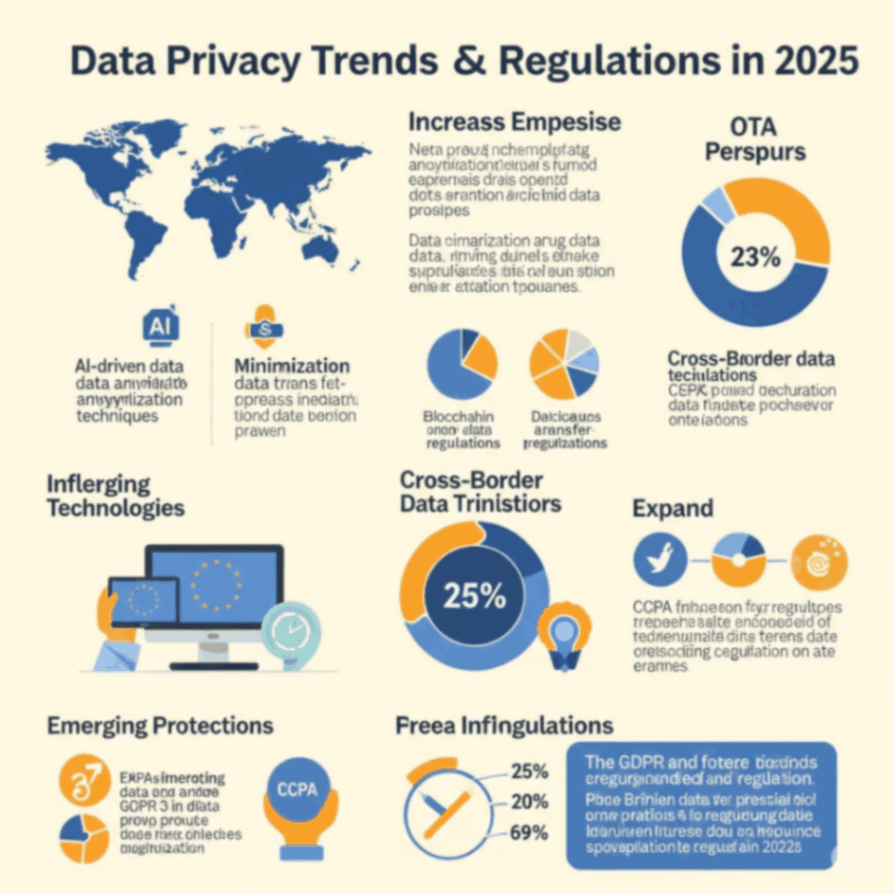
Data Privacy Trends and Regulations in 2025

0
Data privacy trends 2025

Introduction

Data privacy has become one of the most critical concerns for businesses, governments, and individuals alike. As we approach 2025, data protection regulations and the evolving digital landscape are continuously reshaping how organizations handle user data. With growing awareness of data security risks and increasing regulatory requirements, businesses must stay ahead of the curve to ensure compliance and maintain customer trust.

In this article, we explore the major data privacy trends and regulations that will dominate the landscape in 2025. We’ll examine the changes businesses will face, how they can navigate the evolving regulatory environment, and the key technologies and strategies that will shape data privacy in the coming years.

The Evolution of Data Privacy Regulations

Data privacy regulations have undergone significant changes in recent years. With increasing cyber threats and growing public concern about data misuse, governments around the world are implementing stricter rules to protect consumer data. These regulations focus on giving individuals greater control over their data, while also holding businesses accountable for how they collect, store, and use that data.

1. GDPR and Its Global Impact

The General Data Protection Regulation (GDPR), implemented in 2018, set a global precedent for data privacy. It established stringent requirements for businesses operating in the European Union (EU) or dealing with EU citizens’ data. Although the GDPR has already been in effect for several years, its influence will continue to grow in 2025 as more regions adopt similar regulations.

Key provisions of GDPR include:

  • Data Subject Rights: Individuals have the right to access, correct, delete, and restrict the processing of their data.

  • Data Breach Notifications: Businesses must notify customers within 72 hours of a data breach.

  • Data Protection Officers: Certain organizations are required to appoint Data Protection Officers (DPOs) to oversee compliance.

GDPR Provision Description
Data Subject Rights Right to access, rectify, and delete personal data.
Data Breach Notifications Requirement to report data breaches within 72 hours.
Data Protection Officers Some organizations must appoint DPOs to ensure compliance.

2. Global Data Privacy Legislation: CCPA and Beyond

In the United States, California’s Consumer Privacy Act (CCPA), implemented in 2020, has been a major milestone in data privacy law, offering consumers more control over their data. With California being a major economic hub, the CCPA has had a significant influence on other states looking to implement their regulations. By 2025, more U.S. states will likely follow California’s lead and introduce their privacy laws, making compliance even more challenging for businesses operating across multiple regions.

The California Privacy Rights Act (CPRA), which enhances the CCPA, will come into full effect by 2025. It includes additional provisions like:

  • Sensitive Personal Information: Consumers can limit the collection and sharing of sensitive data, such as racial or ethnic origin, sexual orientation, and health data.

  • Automated Decision Making: The CPRA introduces rules on profiling and automated decision-making, enhancing transparency.

U.S. Data Privacy Law Key Features
CCPA Provides rights for consumers to access, delete, and opt out of the sale of their data.
CPRA Enhances CCPA by adding provisions on sensitive information and profiling.

As data protection becomes a top priority globally, many countries are implementing data localization laws that require businesses to store and process data within their national borders. This trend is particularly prominent in countries like Russia, China, and India.

In 2025, it is expected that more regions will adopt similar data localization laws, requiring businesses to set up local data centers or work with regional service providers to comply with national data protection requirements.

Key Data Privacy Trends for 2025

The data privacy landscape is constantly evolving, driven by regulatory changes, technological advancements, and increasing consumer awareness. In 2025, businesses will need to adapt to several key trends in data privacy to remain compliant and competitive.

1. Increased Focus on Consumer Consent Management

As privacy regulations tighten, businesses will be required to adopt more sophisticated methods for obtaining and managing consumer consent. In 2025, obtaining explicit consent will be an ongoing challenge, particularly in light of the growing concern over user data misuse.

How to Manage Consent:

  • Clear Consent Forms: Businesses will need to offer clear, understandable consent forms that inform users about how their data will be used.

  • Granular Consent: Instead of blanket consent, businesses will need to provide consumers with options to consent to specific types of data processing.

  • Revocation of Consent: Consumers will need to be able to easily withdraw consent, which will require systems that allow them to manage their preferences.

Consent Management Strategy Example
Clear Consent Forms Provide detailed and transparent forms explaining data usage.
Granular Consent Offer users specific consent options for data sharing.
Revocation of Consent Allow users to easily withdraw consent at any time.

2. Integration of Artificial Intelligence (AI) and Data Privacy

AI is increasingly being used in data processing, and with it comes the need for enhanced data privacy measures. In 2025, businesses will face challenges related to ensuring that AI algorithms respect data privacy rights and avoid discrimination or bias in decision-making.

Key Considerations:

  • Explainability of AI: AI models must be transparent, enabling businesses to explain how decisions are made.

  • Data Minimization: AI systems will need to be designed to minimize the use of personal data, using techniques such as anonymization and aggregation.

  • Bias Mitigation: AI algorithms must be trained to avoid using sensitive personal data that could lead to discriminatory practices.

AI Data Privacy Strategy Example
Explainability Ensure AI systems are transparent and their decisions can be explained to users.
Data Minimization Use anonymization techniques to reduce the reliance on personal data.
Bias Mitigation Implement processes to detect and eliminate bias in AI decision-making.

Privacy-by-design and privacy-by-default will become essential principles for businesses aiming to comply with new regulations and meet consumer expectations. This means building privacy into the design of systems, processes, and products from the outset.

Key Actions for Privacy-By-Design:

  • Data Protection Measures: Implement strong encryption, anonymization, and secure storage techniques from the development phase.

  • Default Privacy Settings: Ensure that privacy settings are set to the highest level by default, giving users control over their data without requiring them to adjust settings.

  • Regular Audits: Conduct regular audits to ensure compliance with privacy laws and identify areas of improvement.

Privacy Strategy Action
Data Protection Measures Integrate encryption and secure storage during the design phase.
Default Privacy Settings Set privacy settings to the highest level by default.
Regular Audits Perform audits to ensure ongoing compliance with privacy regulations.

As governments around the world ramp up their data privacy efforts, the enforcement of regulations will become stricter. In 2025, businesses that fail to comply with data privacy laws will face higher penalties and increased scrutiny from regulators.

Key Areas of Enforcement:

  • Fines: Non-compliance with data protection laws, such as the GDPR, could lead to fines of up to 4% of annual global turnover or €20 million, whichever is greater.

  • Reputational Damage: Data breaches or non-compliance can lead to significant reputational harm, causing a loss of customer trust.

  • Regulatory Audits: Regulatory bodies are expected to increase audits to ensure companies are compliant with data privacy regulations.

Enforcement Measure Description
Fines Increased penalties for non-compliance with data protection laws.
Reputational Damage A breach or violation can severely damage customer trust and brand image.
Regulatory Audits Regulatory bodies will conduct more frequent audits to ensure compliance.

1. What are the key data privacy regulations businesses must follow in 2025?

Key regulations businesses must adhere to include the GDPR, CCPA, and various national laws that focus on consumer data protection, such as data localization laws and privacy-by-design principles.

2. How can businesses ensure compliance with data privacy regulations?

Businesses should implement comprehensive privacy policies, conduct regular audits, use encryption technologies, provide clear consent mechanisms, and stay informed about changing regulations.

3. What are the penalties for non-compliance with data privacy regulations?

Penalties for non-compliance can be severe, including substantial fines (up to 4% of annual global turnover under GDPR), reputational damage, and legal actions.

4. How does AI impact data privacy in 2025?

AI impacts data privacy by requiring enhanced transparency, ensuring data minimization, and mitigating bias in decision-making processes, all of which must be incorporated into AI development.

Conclusion

As we move towards 2025, data privacy will remain one of the most important considerations for businesses. With evolving regulations and growing consumer expectations, companies must prioritize data protection to stay compliant and build trust. By adopting strategies like privacy-by-design, integrating AI responsibly, and ensuring robust consent management, businesses can navigate the complex landscape of data privacy and thrive in a data-driven world.

To stay ahead of the curve in data privacy and ensure your business is compliant with evolving regulations, explore additional resources at Derektime.

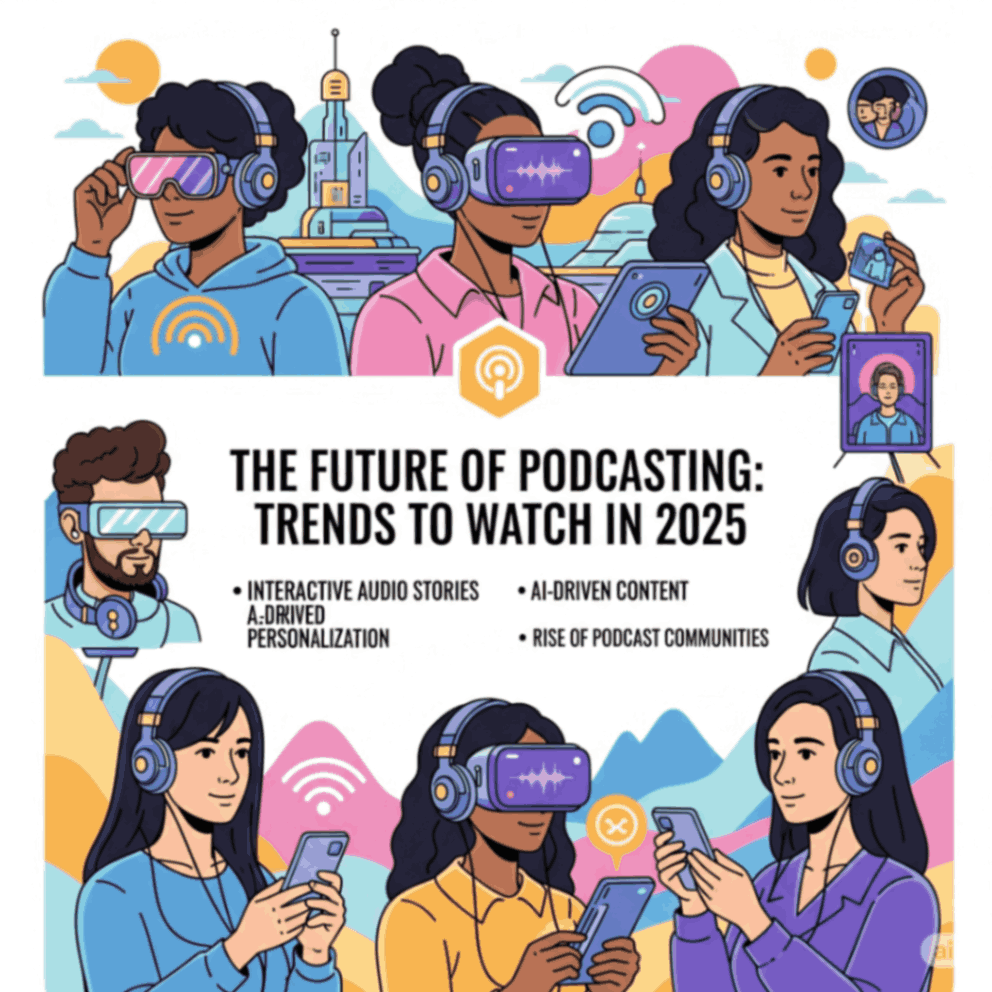
The Future of Podcasting: Trends to Watch in 2025

0
Podcasting trends 2025
future of podcasting

Introduction

Podcasting has exploded in popularity over the past decade, with millions of podcasts available to listeners across the globe. As we look to the future, podcasting continues to evolve, driven by new technologies, audience behaviors, and content strategies. By 2025, podcasting is set to become an even more integral part of daily life, offering greater personalization, interactivity, and integration with other media formats.

In this article, we will explore the future of podcasting in 2025, identifying key trends, technologies, and shifts that will shape the podcasting landscape. Whether you are a creator, marketer, or avid listener, understanding these trends will help you stay ahead of the curve in this rapidly growing industry.

The Rise of Podcasting: A Brief Overview

Before diving into the trends of 2025, it’s important to understand the rise of podcasting. Over the past few years, podcasts have become one of the most popular forms of entertainment, education, and information dissemination. The following factors have contributed to this rapid rise:

  • Accessibility: Podcasts can be accessed from anywhere, at any time, using a variety of devices like smartphones, smart speakers, and laptops.

  • Variety of Content: With millions of podcasts available on platforms such as Spotify, Apple Podcasts, and Google Podcasts, there is something for everyone, from true crime and business to comedy and self-help.

  • Engagement: Podcast listeners are highly engaged, with many listening to episodes in their entirety. This creates a valuable connection between creators and their audiences.

Key Statistics (2025):

  • Over 2 million podcasts are available globally.

  • Over 1 billion podcast listeners worldwide.

  • Increasing podcast consumption with users listening to an average of 5-6 hours per week.

Key Trends Shaping the Future of Podcasting in 2025

As we approach 2025, podcasting will continue to evolve in exciting new ways. Let’s explore the trends that will define the future of podcasting in the coming years.

1. Personalized Podcast Recommendations

As podcast platforms gather more data on user behavior, the future of podcasting will be heavily influenced by personalization. In 2025, we can expect platforms to offer increasingly accurate recommendations based on users’ listening habits, preferences, and even mood.

Key Features:

  • AI-Powered Recommendations: Algorithms will suggest podcasts tailored to listeners’ preferences, interests, and past listening patterns.

  • Smart Playlists: Customizable playlists created by AI based on mood, activity (e.g., working out, commuting), or topics of interest.

Feature Benefit
AI-Powered Recommendations Listen to podcasts tailored to your unique preferences.
Smart Playlists Curate playlists based on activities, mood, or interests.
  • Personalization enhances user experience, increasing engagement and time spent on podcast platforms. It will also help creators reach their target audience more effectively.

2. The Growth of Interactive Podcasting

By 2025, interactive podcasting will take center stage, enabling audiences to engage with content in real-time. This includes audience participation, feedback loops, and even integration with other media forms like video or social media.

Key Features:

  • Listener Feedback: Listeners can interact directly with hosts via live polls, Q&A sessions, or even audio messages.

  • Dynamic Content: Episodes can adapt based on listener choices or voting, offering a personalized listening experience.

  • Podcast-Integrated Events: Live events and interactive segments allow listeners to participate and influence content in real-time.

Feature Benefit
Listener Feedback Engage directly with the podcast by sending messages or voting on content.
Dynamic Content Experience personalized episodes based on your interactions.
Live Podcast Events Participate in live, interactive events hosted by creators.
  • Interactive podcasting transforms passive listeners into active participants, increasing engagement and creating a more dynamic relationship between creators and their audience.

3. AI-Generated Content and Automation

As AI continues to evolve, we’ll see a rise in AI-generated content within the podcasting industry. In 2025, AI will assist creators in producing content more efficiently, helping with everything from scripting to editing.

Key Features:

  • AI Scriptwriters: AI-powered tools will assist creators in drafting scripts based on topics, trends, or even input from the host.

  • Auto-Editing: AI can automatically edit podcasts, removing filler words, adjusting sound levels, and even improving audio quality in real-time.

  • Voice Synthesis: AI will allow hosts to generate synthetic voices for various podcast characters or scenarios.

Feature Benefit
AI Scriptwriting Generate content ideas and scripts based on specific themes.
Auto-Editing Automate the editing process to save time and increase efficiency.
Voice Synthesis Use synthetic voices to create diverse characters and content.
  • AI reduces the time and effort required for podcast creation, allowing creators to focus on content quality and creativity while also enhancing the overall production value.

4. The Integration of Video Podcasts

In 2025, video podcasts will become even more integrated with traditional audio podcasts. Podcast-video hybrid models will dominate, where creators produce both audio and video versions of their shows, offering listeners the option to watch or listen based on their preferences.

Key Features:

  • Video Podcasts: Platforms will allow seamless switching between audio and video formats, enabling creators to share behind-the-scenes content, interviews, and visual storytelling.

  • Live Streaming: More podcasts will be streamed live, offering viewers the opportunity to engage with the hosts and other listeners in real-time.

  • Cross-Platform Integration: Video podcasts will be integrated with social media platforms like YouTube, allowing for greater exposure and audience reach.

Feature Benefit
Video Podcast Formats Choose between watching and listening to your favorite shows.
Live Streaming Engage in live interactions with hosts and audiences.
Social Media Integration Promote and share video podcasts seamlessly across platforms.
  • Video podcasts add a visual dimension to the traditional audio format, making content more engaging and accessible, while also broadening the potential for content creators to monetize their shows.

5. Podcasting as a Multi-Channel Platform

In 2025, podcasting will extend beyond traditional platforms like Spotify and Apple Podcasts. Cross-platform distribution will allow podcasts to be embedded into multiple forms of content, from articles to social media posts and even smart devices.

Key Features:

  • Podcast Aggregation: Podcasts will be easily accessible across various platforms, from social media networks like Twitter to news outlets and content aggregation sites.

  • Smart Device Integration: Smart home devices, such as Amazon Alexa and Google Home, will feature built-in podcast capabilities, allowing users to seamlessly listen across devices.

  • Interactive Ads: Advertisements in podcasts will become more interactive, allowing listeners to make purchases directly from the podcast player.

Feature Benefit
Multi-Platform Access Listen to podcasts on various platforms, from social media to smart devices.
Smart Device Integration Stream podcasts through smart speakers and voice assistants.
Interactive Ads Engage with ads directly from the podcast player for easy purchasing.
  • By expanding into multiple channels, podcasting will become a more integrated part of daily life, allowing listeners to access content seamlessly across various platforms.

The Future of Podcasting: What to Expect in 2025

Looking forward, podcasting is poised to become a cornerstone of media consumption in 2025. Here are some additional developments to expect:

  • AI-driven Content Curation: As podcasting grows, AI will be used to provide more personalized listening experiences, curating content that suits individual tastes and preferences.

  • Subscription-Based Content: More podcast creators will adopt subscription models, offering exclusive content and ad-free experiences for paying subscribers.

  • Global Reach: Language barriers will be reduced with AI-driven translation and voice-over capabilities, allowing podcasts to reach a global audience with localized content.

FAQs

1. What are the main trends in podcasting for 2025?

Key trends include AI-generated content, interactive podcasting, video podcasting, and the integration of podcasting with multiple platforms and devices.

2. Will podcasting become more personalized in 2025?

Yes, with advancements in AI, podcasting platforms will offer more personalized recommendations based on listeners’ interests, past behaviors, and preferences.

3. Are video podcasts gaining popularity?

Absolutely. In 2025, video podcasts will become a dominant form of content, with creators producing both audio and video versions of their shows to cater to different preferences.

4. How will AI impact podcast production?

AI will assist in scripting, editing, and voice synthesis, making it easier for creators to produce high-quality content with less time and effort. AI-driven recommendations will also personalize the listening experience for audiences.

Conclusion

The future of podcasting in 2025 is incredibly promising, with new technologies and innovations pushing the boundaries of what is possible. From AI-driven content creation and interactive features to video podcasts and cross-platform integration, podcasting will become an even more integral part of the media landscape. Whether you’re a listener, creator, or marketer, staying informed about these trends will help you navigate and succeed in the evolving world of podcasting.

To stay up to date with the latest developments in podcasting and other media trends, visit Derektime for expert insights, resources, and news.

Podcasting in 2025 will be characterized by greater interactivity, personalization, and technological innovation, ensuring that it remains one of the most engaging forms of media consumption. Keep an eye on these trends to make the most of what podcasting has to offer.

Top Free-to-Play Games in 2025

0
top free mobile games
Best free-to-play games 2025

Introduction

Free-to-play (F2P) games have transformed the gaming industry in recent years, offering players high-quality gaming experiences without the initial cost. These games are now more accessible than ever, attracting millions of players worldwide, thanks to the rise of microtransactions and in-game purchases. In 2025, the free-to-play model continues to dominate the gaming landscape, with developers offering games that rival traditional paid titles in terms of graphics, gameplay, and overall quality.

This article highlights the top free-to-play games in 2025, offering a comprehensive overview of the best games in various genres. Whether you’re into strategy games, first-person shooters, or role-playing games (RPGs), there’s something for everyone. We will also explore the features that make these games stand out, why they are popular, and what to expect in the future of free-to-play gaming.

Why Free-to-Play Games are So Popular

The free-to-play model has become a staple in the gaming industry for several reasons:

  • Accessibility: F2P games are easily accessible to players, as they can be downloaded and played without any upfront cost. This model appeals to a wide range of gamers, including those who may not want to spend money on games.

  • Frequent Updates: Many free-to-play games regularly update their content with new features, characters, and events, keeping players engaged and ensuring long-term player retention.

  • Microtransactions: While the game itself is free, developers earn revenue through in-game purchases such as cosmetics, skins, battle passes, and other non-essential content. This allows players to enjoy the game without a financial commitment, while also providing a source of income for developers.

  • Community Engagement: F2P games often build strong online communities, offering social features like multiplayer modes, clans, and global leaderboards that enhance the experience.

Top Free-to-Play Games in 2025

Here are some of the best free-to-play games of 2025, categorized by genre, that are taking the gaming world by storm.

1. Fortnite – Battle Royale and Creative Mode

Since its release in 2017, Fortnite has become one of the most popular free-to-play games worldwide. Its battle royale mode and creative features have attracted millions of players, with continuous updates and cross-platform compatibility keeping the player base engaged.

Key Features:

  • Battle Royale Mode: 100-player survival game where the last player or team standing wins.

  • Creative Mode: Build and create your worlds, games, and experiences.

  • Frequent Events and Updates: Seasonal events, new skins, and collaborations with major franchises keep the game fresh.

Feature Benefit
Battle Royale High-paced action with global competition.
Creative Mode Design and share custom maps and mini-games.
Regular Updates New content, skins, and events to keep the game exciting.
  • It continues to offer an evolving, dynamic experience, and the constant updates with limited-time events and collaborations with popular brands and franchises keep the game fresh and exciting.

2. Apex Legends – Tactical Battle Royale

Apex Legends, developed by Respawn Entertainment, is another giant in the battle royale genre. The game combines fast-paced gameplay with a focus on team-based mechanics and tactical movement.

Key Features:

  • Legend System: Choose from a variety of characters, each with unique abilities and playstyles.

  • Battle Royale: A high-stakes competition where you need to be the last squad standing.

  • Ping System: An advanced ping system that allows players to communicate and coordinate without voice chat.

Feature Benefit
Legend System Play as unique characters with abilities tailored to different playstyles.
Tactical Combat Focus on strategy and team coordination during battles.
Ping System Communicate efficiently with teammates, even without voice chat.
  • Apex Legends has continued to innovate within the battle royale genre, introducing new legends, maps, and seasonal content, making it a staple for competitive players.

3. League of Legends – MOBA Gameplay

League of Legends (LoL) remains a dominant force in the multiplayer online battle arena (MOBA) genre. Since its release in 2009, it has attracted millions of players and established itself as a staple in eSports, with major tournaments like the World Championship.

Key Features:

  • 5v5 Matches: Players control champions with unique abilities in teams of five.

  • Deep Strategy: In-game decisions, team coordination, and objectives are critical to success.

  • Frequent Updates: Riot Games regularly adds new champions, skins, and balance changes to keep the game dynamic.

Feature Benefit
5v5 Matches Engage in intense tactical battles with your team.
Deep Strategy The game offers endless depth, requiring coordination and strategy.
Regular Updates New content keeps the game exciting for both new and veteran players.
  • With continuous updates, new champions, and an ever-evolving metagame, League of Legends remains a top choice for MOBA fans, offering both casual and competitive experiences.

4. Genshin Impact – Open-World RPG

Genshin Impact took the gaming world by storm when it was released in 2020. This free-to-play open-world role-playing game (RPG) combines stunning visuals, action-packed gameplay, and an expansive world to explore.

Key Features:

  • Open World Exploration: Explore the vast world of Teyvat, solve puzzles, and discover hidden secrets.

  • Character Switching: Switch between characters, each with unique elemental abilities.

  • Gacha System: Earn or purchase in-game currency to unlock new characters and weapons.

Feature Benefit
Open World Exploration A vast, immersive world filled with quests and hidden treasures.
Character Switching Use characters with different abilities to tailor your playstyle.
Gacha System Collect new characters and gear through a fun gacha mechanic.
  • The game continues to expand with new regions, characters, and storylines, offering a rich and evolving experience for players who enjoy RPGs and exploration.

5. Call of Duty: Warzone 2.0 – First-Person Shooter Battle Royale

Call of Duty: Warzone 2.0 builds on the success of its predecessor, offering fast-paced first-person shooter action with a battle royale twist. Warzone 2.0 is known for its realism, thrilling gunplay, and strategic combat.

Key Features:

  • Battle Royale Mode: Up to 150 players fight to be the last one standing.

  • Plunder Mode: Compete to collect cash and buy powerful gear.

  • Vehicle Combat: Use vehicles to gain a strategic advantage and navigate the map.

Feature Benefit
Battle Royale Mode Intense competition with fast-paced, action-packed gameplay.
Plunder Mode A unique game mode where players collect cash and buy gear.
Vehicle Combat Engage in dynamic battles with the added layer of vehicle mechanics.
  • With its polished mechanics, fast-paced gameplay, and constant updates, Warzone 2.0 remains a top choice for competitive players who enjoy first-person shooters.

6. Valorant – Tactical Shooter

Valorant is a tactical first-person shooter (FPS) developed by Riot Games. Combining elements from popular FPS games like Counter-Strike with hero-based abilities, Valorant has become a staple in the esports scene.

Key Features:

  • Character Abilities: Each agent has unique abilities that complement the tactical shooting mechanics.

  • Team-Based Combat: Focus on strategy and teamwork to secure objectives.

  • Competitive Gameplay: Ranked mode allows players to compete for the highest ranks.

Feature Benefit
Character Abilities Enhance gameplay with unique agent abilities.
Team-Based Combat Strategy and teamwork are crucial to winning matches.
Competitive Gameplay Engage in ranked matches to compete for top-tier ranks.
  • Valorant continues to attract players who enjoy tactical FPS games, and with regular updates, it remains a competitive and engaging experience for both casual and professional gamers.

How to Choose the Best Free-to-Play Game for You

Choosing the right free-to-play game depends on your gaming preferences and play style. Here are a few things to consider when selecting the best game for you:

1. Genre

  • Are you into fast-paced action, strategy, RPGs, or casual gameplay? Pick a game that fits your preferred genre.

2. Multiplayer vs. Single-Player

  • If you enjoy social gaming, consider multiplayer games like Fortnite or Apex Legends. For solo adventures, Genshin Impact offers a compelling story and immersive world.

3. Monetization

  • While most free-to-play games offer a no-cost entry, many include microtransactions. Make sure you are comfortable with the monetization system before committing to a game.

4. Community Engagement

  • Look for games that offer a strong player community, especially if you enjoy team-based play or competing against others.

FAQs

1. What are the best free-to-play games in 2025?

The top free-to-play games in 2025 include Fortnite, Apex Legends, League of Legends, Genshin Impact, and Valorant, offering a mix of battle royale, RPG, and tactical shooter experiences.

2. Are free-to-play games free?

Yes, free-to-play games are available at no initial cost, but many include optional in-game purchases like cosmetics, battle passes, or premium content.

3. How do free-to-play games make money?

Free-to-play games typically generate revenue through in-game purchases such as skins, character unlocks, battle passes, and other cosmetic or non-essential items.

4. Can I play these games on mobile devices?

Many of the top free-to-play games, such as Fortnite and Call of Duty: Warzone 2.0, offer mobile versions, allowing you to enjoy the experience on the go.

Conclusion

The future of free-to-play gaming in 2025 is vibrant and full of potential. With advancements in technology and the continued growth of eSports, free-to-play games are offering more immersive, competitive, and engaging experiences than ever before. Whether you prefer battle royales, tactical shooters, or RPGs, there is a free-to-play game that caters to your needs.

These games are not only entertaining but also help shape the gaming industry by offering players access to high-quality content without the need for upfront payment. By leveraging in-game purchases and microtransactions, developers ensure a sustainable model for free-to-play games while keeping the gaming community engaged.

For more insights into the latest trends in gaming, visit Derektime for expert reviews, news, and updates.

The Evolution of Mobile Gaming in 2025

0
Mobile gaming trends 2025

Introduction

Mobile gaming has undergone significant transformations over the past decade. From simple puzzle games to immersive, console-quality experiences, mobile gaming has become one of the most popular forms of entertainment worldwide. With advancements in technology, mobile games are now more engaging, realistic, and accessible than ever before. As we move towards 2025, the future of mobile gaming looks even more promising, with innovations like 5G connectivity, augmented reality (AR), artificial intelligence (AI), and cloud gaming shaping the next generation of mobile games.

This article delves into the evolution of mobile gaming, focusing on the key developments that have taken place and exploring what we can expect in 2025. Whether you’re a gamer, developer, or enthusiast, understanding these trends can help you prepare for the exciting future of mobile gaming.

The Evolution of Mobile Gaming: From Simple Games to Immersive Worlds

1. The Early Days: Simple and Casual Games

In the early 2000s, mobile gaming was characterized by simple, casual games. Nokia’s iconic Snake game was a prime example, offering a basic gaming experience that could be played on early mobile phones. During this period, mobile games were largely text-based or used simple graphics, and gameplay was designed for short bursts of entertainment.

2. The Rise of Smartphones and App Stores

The introduction of smartphones, particularly Apple’s iPhone in 2007, revolutionized mobile gaming. With more powerful processors, better graphics, and larger screens, smartphones opened up new possibilities for game development. The launch of Apple’s App Store in 2008 made it easier for developers to reach a global audience, leading to a boom in mobile game production.

The launch of games like Angry Birds and Temple Run proved that mobile games could be fun, addictive, and capable of generating substantial revenue. This period marked the beginning of mobile gaming’s widespread appeal and its transition from a niche hobby to a mainstream activity.

Year Milestone
2007 Launch of the iPhone and smartphones with gaming capabilities.
2008 Introduction of the App Store, enabling easy access to mobile games.
2010-2015 Rise of casual mobile games like Angry Birds and Candy Crush.

By the early 2010s, mobile games had evolved even further. The free-to-play model, combined with in-app purchases and microtransactions, became the dominant monetization strategy. Games like Clash of Clans and Candy Crush Saga proved that mobile games could generate substantial revenue even without requiring an initial purchase.

This era also saw the rise of multiplayer mobile games, which allowed players to interact with others in real time. The introduction of real-time multiplayer features in games like PUBG Mobile and Fortnite marked the beginning of mobile gaming’s entry into the competitive eSports scene.

Feature Benefit
Free-to-Play Model Low barrier to entry, attracting more players.
Microtransactions Enables continuous game updates and new content.
Multiplayer Features Encourages social interaction and real-time competition.

As we look ahead to 2025, mobile gaming is poised to experience even more dramatic transformations. Key technological advancements and evolving consumer preferences are shaping the future of mobile gaming. Here are some of the most exciting trends and innovations that will define the mobile gaming landscape in 2025.

1. 5G Connectivity: Ultra-Fast Gaming Experience

The rollout of 5G networks is expected to be a game-changer for mobile gaming. With speeds up to 100 times faster than 4G, 5G will enable seamless streaming of high-quality games with minimal latency. This means mobile gamers will be able to play graphically intensive games without the need for a high-performance mobile device.

Key Benefits of 5G for Mobile Gaming:

  • Low Latency: Reduced lag during gameplay, especially in real-time multiplayer games.

  • High-Speed Downloads: Quick game downloads and updates, allowing users to start playing almost immediately.

  • Cloud Gaming: 5G will facilitate cloud-based gaming, making it possible to play console-quality games directly on mobile devices without the need for powerful hardware.

5G Benefit Description
Low Latency Improved performance in real-time multiplayer games.
High-Speed Downloads Faster game downloads and less waiting time.
Cloud Gaming Stream high-quality games with minimal hardware requirements.

Cloud gaming has been gaining momentum in recent years, and by 2025, it will be an integral part of mobile gaming. Services like Google Stadia, NVIDIA GeForce NOW, and Xbox Cloud Gaming allow players to stream games directly to their devices without needing powerful hardware.

For mobile devices, cloud gaming will eliminate the need for high-performance processors and GPUs, making it easier for users to play AAA games on smartphones and tablets. This means players can enjoy high-end gaming experiences without the need for a dedicated gaming console or PC.

Benefits of Cloud Gaming:

  • No Need for Expensive Hardware: Play console-quality games on any device with minimal hardware requirements.

  • Instant Access to Games: No need to download large files; games can be streamed instantly.

  • Cross-Platform Play: Play the same game across different devices, including phones, tablets, and laptops.

Cloud Gaming Service Supported Devices Key Feature
Google Stadia Smartphones, tablets, PCs, smart TVs Stream AAA games instantly without downloads.
NVIDIA GeForce NOW PCs, smartphones, smart TVs, tablets Play PC games on mobile devices via cloud streaming.
Xbox Cloud Gaming Android and iOS smartphones, tablets Play Xbox games on mobile with cross-platform support.

Augmented Reality (AR) and Virtual Reality (VR) are becoming increasingly important in the world of mobile gaming. While VR requires specialized hardware like headsets, AR can be experienced directly through smartphones and tablets.

By 2025, AR gaming will likely see a surge in popularity, with more games integrating AR elements for an immersive experience. Titles like Pokémon GO have already demonstrated the potential of AR gaming, but we can expect the technology to improve and evolve with better graphics, real-time interactions, and more complex environments.

Key Features:

  • AR-Enhanced Games: Interact with the real world while playing games on your mobile device.

  • Immersive VR Experiences: Use mobile VR headsets to experience fully immersive, 360-degree games.

  • Improved Interactivity: Enhanced gesture controls and haptic feedback will make games more engaging.

AR/VR Feature Benefit
AR-Enhanced Gameplay Blend real-world environments with virtual elements.
Immersive VR Experiences Engage in fully immersive 360-degree gaming worlds.
Gesture Controls Use hand gestures for more interactive gaming experiences.

As AI technology continues to advance, artificial intelligence will play a larger role in mobile gaming by 2025. AI can analyze player behavior and adapt the gameplay experience to suit individual preferences, skill levels, and playstyles.

How AI Will Enhance Mobile Gaming:

  • Dynamic Difficulty Adjustment: AI will adjust the difficulty of a game in real-time based on how well a player is performing, providing a more balanced and enjoyable experience.

  • Personalized Content: AI can curate personalized content, such as quests, items, or challenges, that align with the player’s interests and past actions.

  • NPC Interactions: Non-playable characters (NPCs) will become more lifelike, offering dynamic responses based on the player’s behavior.

AI Feature Benefit
Dynamic Difficulty Adjust the game’s difficulty to match the player’s skill.
Personalized Content Curate challenges and content that match player preferences.
Improved NPC Interactions Provide realistic responses and behavior from in-game characters.

As we move toward 2025, mobile gaming is expected to become more immersive, accessible, and interactive. The integration of 5G, cloud gaming, AR/VR, and AI will open up new possibilities for both developers and gamers. Here are some key trends to expect:

1. More Immersive Experiences

Expect an increase in AR and VR games that offer deeper immersion, creating experiences that blur the line between the real world and virtual worlds. Mobile devices will become powerful enough to handle these experiences without the need for additional hardware.

2. Smarter AI for Adaptive Gameplay

AI will not only create personalized experiences but also improve how games are played by dynamically adjusting gameplay based on player behavior. Expect smarter, more responsive NPCs and more engaging narratives driven by AI.

3. Cross-Platform Play

With the rise of cloud gaming and improved connectivity, expect more games to feature cross-platform play, allowing users to play the same game across devices, including mobile phones, consoles, and PCs.

4. Enhanced Social Features

Mobile gaming will become more social, with features like in-game chat, live streaming, and community-based challenges becoming more integrated into the mobile gaming experience.

FAQs

1. What is the future of mobile gaming in 2025?

Mobile gaming in 2025 will be driven by advancements in 5G, cloud gaming, AR/VR, and AI. We can expect more immersive experiences, smarter AI-driven gameplay, and cross-platform capabilities.

2. How does AI improve mobile gaming?

AI enhances mobile gaming by adjusting difficulty levels, personalizing content, and creating more lifelike interactions with non-playable characters (NPCs). It tailors the game to individual preferences for a more engaging experience.

3. Will 5G change mobile gaming?

Yes, 5G will significantly improve mobile gaming by reducing latency, allowing for smoother gameplay, and enabling cloud gaming on mobile devices. Players will be able to stream high-quality games without needing powerful hardware.

4. What role will AR play in mobile gaming?

AR will enhance gaming by blending virtual elements with the real world, offering more immersive and interactive gameplay experiences. Expect to see AR-based games that allow you to interact with your environment in new and exciting ways.

Conclusion

The evolution of mobile gaming is set to continue at an exciting pace, with major technological advancements shaping the gaming experience. From the integration of 5G networks to the rise of AI-driven gameplay and immersive AR/VR experiences, mobile gaming in 2025 promises to offer more engaging, personalized, and accessible gaming opportunities.

As these technologies develop, we can expect mobile gaming to become more integrated into our everyday lives, transforming how we interact with games, communicate with others, and experience entertainment. Whether you’re a casual player or a dedicated gamer, the future of mobile gaming is full of exciting possibilities.

For more insights on emerging trends in gaming and technology, visit Derektime for expert resources and articles.

Mobile gaming in 2025 will be a dynamic, immersive experience that leverages the latest technologies to enhance play and interaction. Stay ahead of the curve by embracing these trends and exploring the exciting future of gaming on your mobile device.

Best Mobile Apps for Boosting Productivity in 2025

0
Best productivity apps 2025

Introduction

In today’s fast-paced world, staying productive is essential to both personal and professional success. Mobile apps have become indispensable tools for managing tasks, tracking time, organizing workflows, and enhancing overall efficiency. As we approach 2025, productivity apps have evolved, offering more robust features, AI-powered capabilities, and seamless integrations to help users achieve their goals more effectively.

This article will explore the top mobile apps that are shaping productivity in 2025. These apps are designed to streamline work processes, increase focus, and ultimately help users achieve more in less time. Whether you’re managing a team, working remotely, or looking to optimize your productivity, the right app can make a significant difference.

Why Mobile Apps Are Essential for Productivity in 2025

In 2025, mobile apps for productivity will be more advanced and essential than ever before. Here’s why they’ve become so crucial for individuals and businesses:

  • Convenience and Accessibility: Mobile apps allow users to manage their tasks and projects from anywhere, giving them the flexibility to stay productive on the go.

  • Time Management: With tools that track time, set reminders, and automate repetitive tasks, mobile apps help users prioritize and optimize their time.

  • Integration with Other Tools: Many productivity apps now integrate seamlessly with other tools like calendars, communication platforms, and project management systems, creating a unified workflow.

  • Artificial Intelligence (AI): The integration of AI in productivity apps helps automate processes, provide recommendations, and analyze user behavior to optimize work patterns.

Top Mobile Apps for Boosting Productivity in 2025

Here are the best mobile apps in 2025 that can help boost productivity, whether you are managing projects, staying on top of tasks, or improving focus.

1. Trello – Visual Project Management

Trello is a popular project management app that uses a visual board system to organize tasks and projects. In 2025, it continues to be one of the best tools for teams and individuals who need to track and manage their workflows.

Key Features:

  • Boards and Lists: Organize projects into boards and break them down into smaller tasks with lists and cards.

  • Power-Ups: Integrate with other tools like Google Drive, Slack, and Jira for enhanced functionality.

  • Collaboration: Collaborate with teammates by assigning tasks, adding comments, and sharing documents.

Feature Benefit
Boards and Lists Organize and visualize tasks and projects.
Power-Ups Integrate with other productivity tools for better collaboration.
Collaboration Easily assign tasks and communicate with team members.

Trello’s intuitive and visual interface makes it easy to manage complex projects and collaborate with teams. It’s perfect for users who prefer a simple, flexible approach to task management.

2. Notion – All-in-One Workspace

Notion is a powerful all-in-one workspace that combines note-taking, task management, and collaboration tools in one platform. It is an excellent choice for those looking to consolidate all their productivity tools into one app.

Key Features:

  • Customizable Templates: Create databases, task lists, calendars, and wikis with customizable templates to fit your needs.

  • Real-Time Collaboration: Share documents, assign tasks, and work collaboratively with your team in real time.

  • Integration: Sync your work with tools like Google Calendar, Slack, and Zapier.

Feature Benefit
Customizable Templates Create workflows, project plans, and document structures.
Real-Time Collaboration Work together with teammates and share updates instantly.
Integration Connect with other tools to enhance functionality.

Notion offers flexibility and customization, making it perfect for users who need a robust platform to handle multiple tasks, projects, and knowledge management in one place.

3. Forest – Focus and Time Management

Forest is a unique productivity app designed to help you stay focused by planting a virtual tree that grows as you stay off your phone. It’s ideal for anyone who struggles with distractions and wants to improve their focus during work sessions.

Key Features:

  • Focus Timer: Set a timer and grow a virtual tree as you stay focused on tasks.

  • Rewards: Earn virtual coins and unlock new tree species as a reward for your focused time.

  • Offline Mode: Even when offline, Forest continues to help you stay focused and prevent distractions.

Feature Benefit
Focus Timer Stay focused by using a Pomodoro-style timer.
Rewards and Achievements Earn rewards as you stay productive.
Offline Mode Stay focused even when you’re not connected to the internet.

Forest turns focus into a fun and rewarding activity, making it a great app for individuals looking to improve concentration and minimize distractions during work hours.

4. Todoist – Task Management and To-Do Lists

Todoist is one of the most popular to-do list and task management apps available. With a clean interface and robust functionality, it helps users track tasks, prioritize work, and collaborate with teams in 2025.

Key Features:

  • Task Prioritization: Assign priority levels to tasks, and focus on what matters most.

  • Recurring Tasks: Automate repetitive tasks with reminders and due dates.

  • Project Management: Organize tasks into projects and assign tasks to different team members.

Feature Benefit
Task Prioritization Easily prioritize and organize tasks for maximum efficiency.
Recurring Tasks Automate and streamline tasks with recurring reminders.
Project Management Assign tasks to team members and track project progress.

Todoist’s simple, user-friendly interface allows you to focus on what matters most, making it an essential tool for anyone looking to stay organized and productive.

5. RescueTime – Time Tracking and Analysis

RescueTime is a time-tracking app that helps users understand how they spend their time on digital devices. Analyzing your habits gives you actionable insights to improve productivity and reduce distractions.

Key Features:

  • Automatic Tracking: Tracks how you spend your time across different apps and websites.

  • Detailed Reports: Provides detailed reports and insights into your time usage patterns.

  • Focus Mode: Block distracting websites and apps during work hours to improve focus.

Feature Benefit
Automatic Tracking Track time spent on apps and websites without manual input.
Detailed Reports Gain insights into your productivity habits.
Focus Mode Block distracting websites and apps for better concentration.

RescueTime’s automatic tracking and detailed reports help you become more aware of your time usage, allowing you to make adjustments that lead to increased productivity.

6. ClickUp – All-in-One Task and Project Management

ClickUp is an all-in-one task and project management tool that allows you to manage everything from to-do lists to complex workflows. It integrates with many tools like Slack, Google Calendar, and Trello, making it a great choice for teams and individuals looking to centralize their work.

Key Features:

  • Customizable Workflows: Create custom workflows tailored to your team’s processes.

  • Time Tracking: Track time spent on tasks and get real-time reporting.

  • Collaboration: Share documents, assign tasks, and track team performance in real-time.

Feature Benefit
Customizable Workflows Tailor workflows to suit specific team needs.
Time Tracking Track time spent on tasks and monitor team productivity.
Collaboration Collaborate with team members and stay aligned on goals.

ClickUp’s robust features and customizable workflows make it perfect for teams and individuals looking for a comprehensive project management solution.

How to Choose the Best Productivity App for You

Choosing the right productivity app depends on your specific needs, whether you’re working alone, with a team, or managing a complex project. Consider the following when selecting an app:

1. Assess Your Needs

  • Are you looking for task management, time tracking, or collaboration tools? Make sure the app you choose aligns with your primary goals.

2. Ease of Use

  • Select an app that has an intuitive interface and is easy to navigate, especially if you’re not very tech-savvy.

3. Integration with Other Tools

  • Look for apps that integrate with other tools you already use (e.g., Google Calendar, Slack, Dropbox) to create a seamless workflow.

4. Customization Options

  • If you have specific requirements, choose apps that offer customizable features and workflows.

FAQs

1. What is the best app for time tracking?

RescueTime is one of the best apps for time tracking, providing automatic tracking and detailed reports to help you monitor your productivity.

2. How can I manage my tasks better?

Apps like Todoist, Trello, and ClickUp are excellent for managing tasks, allowing you to prioritize, track progress, and collaborate efficiently.

3. Are there free productivity apps available?

Yes, many productivity apps, including Trello, Todoist, and RescueTime, offer free versions with basic features that are suitable for personal use.

4. How can I stay focused using productivity apps?

Apps like Forest, RescueTime, and Focus Booster help you block distractions and track time to stay focused and on-task.

Conclusion

In 2025, the right productivity app can make a world of difference in how efficiently you work. From task management and time tracking to team collaboration and project planning, these tools are designed to help you stay organized and achieve your goals with ease. By choosing the right app based on your unique needs, you can streamline your workflow, improve focus, and boost productivity across the board.

To discover more tips on optimizing your workflow and improving productivity, visit Derektime for expert resources and insights.

Top Health & Fitness Apps for 2025

0
Best fitness apps 2025
health tracking apps

Introduction

The world of health and fitness is constantly evolving, and technology plays a major role in reshaping how we approach our wellness. In 2025, fitness apps are becoming more sophisticated, integrating advanced features such as AI, personalized workouts, real-time feedback, and mental health support. These apps make it easier than ever to maintain a balanced lifestyle, improve fitness, and track progress from the convenience of your smartphone.

In this article, we will explore the top health and fitness apps for 2025, highlighting their key features and benefits. Whether you’re looking to improve your physical health, manage your nutrition, or enhance your mental well-being, there’s an app designed to meet your needs.

Why Use Health and Fitness Apps?

Health and fitness apps are more than just a trend; they are becoming essential tools for those serious about their health and wellness. Here’s why using a fitness app is beneficial:

  • Convenience: Access workout routines, nutrition advice, and wellness tips anytime, anywhere.

  • Customization: Many apps offer personalized plans based on your goals, fitness level, and preferences.

  • Tracking: Apps allow you to track your progress over time, helping you stay motivated and focused on your goals.

  • Motivation: With features like reminders, challenges, and community support, fitness apps keep you engaged and committed to your wellness journey.

Top Health & Fitness Apps for 2025

The following apps are expected to dominate the health and fitness space in 2025, offering cutting-edge features and services designed to help users optimize their fitness, nutrition, and overall well-being.

1. MyFitnessPal – Comprehensive Nutrition and Fitness Tracking

MyFitnessPal has long been a leader in the health and fitness app market, and in 2025, it continues to offer one of the most comprehensive platforms for tracking nutrition and workouts. This app helps users log meals, track macronutrients, and monitor fitness progress in a simple and user-friendly interface.

Key Features:

  • Food Database: With a vast database of over 11 million foods, users can easily log their meals and track nutritional intake.

  • Integration: Syncs with popular fitness trackers and apps like Fitbit, Apple Health, and Strava.

  • Personalized Goals: Offers custom goals based on your fitness level and dietary preferences.

Feature Benefit
Food Database Access to over 11 million food items for easy logging.
Integration with Trackers Sync data from fitness devices for a comprehensive overview.
Custom Goals Personalize your fitness and nutrition goals for better results.

Peloton revolutionized home fitness with its interactive workout equipment, but its app has become a favorite for those who want access to a wide range of workout classes without needing the equipment. In 2025, Peloton continues to expand its reach with live and on-demand classes, including strength training, yoga, running, cycling, and more.

Key Features:

  • Live and On-Demand Classes: Access live classes or choose from thousands of on-demand workouts, offering flexibility for any schedule.

  • Community Engagement: Join challenges, track progress, and compete with friends for extra motivation.

  • AI-Powered Suggestions: The app suggests classes based on your previous workouts and progress, creating a personalized fitness plan.

Feature Benefit
Live and On-Demand Classes A wide variety of classes are available on your schedule.
Community Engagement Compete with others and participate in challenges.
AI-Powered Suggestions Receive personalized workout recommendations.

In 2025, mental health continues to be a priority for many, and Headspace has positioned itself as one of the leading apps for mindfulness and meditation. With a focus on mental well-being, Headspace offers guided meditations, sleep exercises, and stress-relief techniques.

Key Features:

  • Guided Meditations: Offers short and long meditation sessions designed for various needs such as stress reduction, focus, and relaxation.

  • Sleep Support: Provides sleepcasts and sleep meditations to help users get better rest.

  • Mental Fitness: Includes programs focused on building resilience, reducing anxiety, and improving overall mental clarity.

Feature Benefit
Guided Meditations Meditation sessions for reducing stress and anxiety.
Sleep Support Sleepcasts and meditations to improve sleep quality.
Mental Fitness Programs Build mental resilience and improve focus.

Strava is a well-known app among runners and cyclists, offering advanced tracking features for athletes. In 2025, it remains the go-to app for those who want detailed performance metrics and community engagement in outdoor fitness activities.

Key Features:

  • GPS Tracking: Track distance, pace, and route for running, cycling, and other outdoor activities.

  • Performance Metrics: Provides in-depth analysis of your workouts, including splits, heart rate, elevation gain, and more.

  • Social Integration: Share your achievements and engage with friends in the Strava community, creating motivation and accountability.

Feature Benefit
GPS Tracking Track your route, distance, and pace for outdoor activities.
Performance Metrics Detailed insights into your workouts and progress.
Social Integration Share your activities and engage with the fitness community.

Fitbod offers personalized strength training programs designed to optimize your workout routines based on available equipment, muscle groups, and your fitness level. By 2025, Fitbod is one of the most advanced apps for strength training, using AI to tailor workouts to each user’s needs.

Key Features:

  • AI-Powered Training Plans: Fitbod uses AI to create personalized workout routines based on your goals and progress.

  • Workout Log: Track sets, reps, and weights for every exercise to monitor progress over time.

  • Strength Training Insights: Get detailed analytics about muscle recovery and workout intensity to avoid overtraining and maximize gains.

Feature Benefit
AI-Powered Training Plans Receive customized workouts based on your goals.
Workout Log Track sets, reps, and weights for continuous progress.
Strength Training Insights Optimize your workouts for muscle recovery and efficiency.

Noom is a unique app that combines personalized meal planning with behavioral psychology to help users achieve sustainable weight loss. In 2025, Noom continues to be one of the most popular weight loss apps due to its focus on changing eating habits rather than just tracking calories.

Key Features:

  • Behavioral Coaching: Offers psychological coaching to help users change unhealthy eating habits and adopt a healthier lifestyle.

  • Personalized Plans: Provides customized meal and fitness plans based on your goals and preferences.

  • Daily Tracking: Track your meals, exercise, and water intake while receiving feedback from coaches and a supportive community.

Feature Benefit
Behavioral Coaching Develop long-term healthy habits with personalized coaching.
Personalized Plans Meal and fitness plans tailored to your needs.
Daily Tracking Track meals, exercise, and progress daily.

With so many options available, choosing the right health and fitness app can be overwhelming. Here are a few factors to consider when selecting an app:

1. Your Fitness Goals

  • Are you focused on weight loss, strength training, or overall well-being? Choose an app that aligns with your specific goals (e.g., Noom for weight loss, Fitbod for strength training).

2. Features and Functionality

  • Consider the app’s features, such as meal tracking, workout plans, or meditation. Choose an app that offers the tools you need for your fitness journey.

3. Integration with Other Devices

  • If you use fitness trackers or smartwatches, select an app that integrates seamlessly with those devices (e.g., Strava for athletes, MyFitnessPal for tracking nutrition).

4. User Experience

  • Choose an app with a user-friendly interface that fits your preferences. Test out a few apps to see which one feels most intuitive to use.

FAQs

1. What are the best apps for weight loss in 2025?

The best weight loss apps in 2025 include Noom for behavioral coaching, MyFitnessPal for tracking nutrition, and Fitbit for tracking exercise and activity.

2. How can I track my fitness progress effectively?

Using apps like Strava, Fitbod, or Peloton, you can track metrics such as distance, calories burned, workout progress, and strength gains. Many apps offer insights and progress reports to help you stay motivated.

3. Are there any apps that focus on mental health and fitness?

Yes, Headspace and Calm offer meditation and mindfulness programs, while Noom integrates behavioral psychology to promote healthy habits and mental well-being along with physical fitness.

4. Can I use multiple fitness apps together?

Yes, many fitness apps allow integration with others. For example, you can use MyFitnessPal for nutrition tracking, Strava for exercise tracking, and Fitbit for activity monitoring, all synced together.

Conclusion

Health and fitness apps are revolutionizing the way we approach wellness, offering customized solutions, advanced features, and greater accessibility. In 2025, the best fitness apps are not just about tracking calories or exercise—they are about helping you achieve your long-term goals, whether it’s weight loss, building strength, or improving mental health.

By choosing the right app based on your goals, preferences, and fitness level, you can create a personalized wellness journey that helps you stay motivated, on track, and healthier than ever before.

Explore more resources and expert tips on health and fitness at Derektime, where we provide the latest insights into fitness trends, tools, and technology.

The Future of AI-Powered Project Management Tools

0
AI project management software
AI-powered project tools

Introduction

Project management has evolved significantly over the years, driven by technology and the increasing complexity of work environments. One of the most significant advancements in recent years is the integration of Artificial Intelligence (AI) into project management tools. AI-powered solutions are transforming how teams plan, execute, and monitor projects, offering unprecedented opportunities for efficiency, accuracy, and smart decision-making.

In this article, we will explore the future of AI-powered project management tools, highlighting the trends, benefits, and key features that make these tools essential for modern businesses. We’ll also dive into how AI can solve some of the most common challenges in project management and how it is expected to evolve by 2025.

The Role of AI in Project Management

AI is revolutionizing project management by automating routine tasks, predicting potential risks, and providing actionable insights for better decision-making. By leveraging machine learning (ML), natural language processing (NLP), and data analytics, AI enhances the project management process from start to finish.

Here’s how AI is currently transforming project management:

  • Task Automation: AI-powered tools automate repetitive tasks such as scheduling, resource allocation, and progress tracking, freeing up project managers to focus on higher-level decision-making.

  • Predictive Analytics: AI uses historical data to forecast potential risks, delays, and budget overruns, allowing project managers to take proactive actions.

  • Real-Time Insights: AI tools provide real-time data analysis, helping teams make informed decisions quickly and adjust their strategies when needed.

  • Resource Optimization: AI helps project managers allocate resources more efficiently by analyzing team performance, workload, and project timelines.

Benefits of AI-Powered Project Management Tools

AI-powered project management tools offer several compelling advantages for businesses and teams. Let’s take a closer look at some of the key benefits.

1. Improved Decision-Making with Data-Driven Insights

AI tools gather and analyze vast amounts of data to provide project managers with real-time insights into the project’s health. These insights help managers make better decisions by identifying trends, risks, and opportunities that might otherwise go unnoticed.

Key Features:

  • Dashboard Analytics: AI-driven dashboards provide a visual representation of the project’s status, helping managers identify bottlenecks and potential issues early.

  • Predictive Reporting: AI can generate predictive reports that highlight risks and suggest actions to mitigate them, helping project managers stay ahead of potential challenges.

2. Increased Efficiency through Task Automation

AI helps automate routine and administrative tasks, which reduces the time spent on manual work and minimizes human error. This automation not only speeds up processes but also increases accuracy.

Examples:

  • Task Assignment: AI tools can automatically assign tasks to team members based on their skills, availability, and workload.

  • Scheduling: AI can optimize project timelines by analyzing resources and constraints, ensuring that projects stay on track and deadlines are met.

AI Automation Feature Benefit
Task Assignment Automatically assign tasks based on team capacity and skill.
Scheduling Optimize project schedules to minimize delays.
Risk Prediction Identify potential risks and suggest mitigation strategies.

3. Enhanced Collaboration and Communication

AI-powered project management tools facilitate better collaboration by streamlining communication channels between teams and stakeholders. These tools provide instant notifications, updates, and easy access to shared documents.

Key Features:

  • Instant Alerts: AI tools send automatic notifications about task updates, deadlines, or potential delays, ensuring that all team members stay aligned.

  • Chatbots and Virtual Assistants: AI-driven chatbots can answer team queries, schedule meetings, and provide updates, enhancing communication and reducing response times.

4. Optimized Resource Management

AI enables project managers to make smarter resource allocation decisions by analyzing past performance, available capacity, and workload distribution.

Key Features:

  • Workload Balancing: AI tools can identify when team members are overburdened and suggest reallocating tasks to other team members.

  • Resource Forecasting: AI predicts future resource needs based on project milestones and past performance, ensuring that teams have the necessary resources at the right time.

Resource Management Feature Benefit
Workload Balancing Distribute tasks evenly among team members for optimal performance.
Resource Forecasting Predict future resource needs based on project requirements.

5. Risk Management and Mitigation

One of the most significant benefits of AI-powered project management tools is their ability to predict risks and suggest mitigation strategies. By analyzing historical data and current project trends, AI can help identify potential obstacles before they become major issues.

Key Features:

  • Risk Detection: AI tools can flag potential risks in areas such as budget overruns, timeline delays, and resource shortages.

  • Proactive Solutions: Based on risk analysis, AI can provide actionable insights and suggest corrective actions to mitigate risks.

Top AI-Powered Project Management Tools in 2025

As AI-powered project management tools continue to evolve, several platforms have emerged as leaders in the market. Below are some of the top tools for remote teams and businesses in 2025.

1. Monday.com

Monday.com is a popular work operating system that leverages AI to help teams plan, track, and manage projects. It uses automation and machine learning to streamline workflows and boost productivity.

Key Features:

  • AI-Powered Automation: Automate repetitive tasks, such as reminders, status updates, and notifications.

  • Custom Dashboards: Create visual dashboards to track project progress, manage tasks, and analyze performance data.

  • Integrations: Connect with tools like Slack, Google Drive, and Zoom for seamless collaboration.

2. Asana

Asana is another leading project management tool that integrates AI to improve task management, forecasting, and risk prediction. Asana’s AI-driven reporting and task assignment features help teams stay on top of their goals.

Key Features:

  • AI-Based Task Prioritization: Asana uses AI to automatically prioritize tasks based on urgency, deadlines, and project importance.

  • Timeline Forecasting: AI analyzes project timelines to predict potential delays and suggest solutions.

  • Workflow Automation: Automate task assignments, progress tracking, and communication across teams.

3. Trello

Trello is known for its visual, card-based interface, which is now enhanced by AI capabilities. With Butler, Trello’s built-in automation tool, users can create automated workflows and task reminders to streamline project management.

Key Features:

  • Task Automation: Automate actions like moving cards, adding labels, and creating due dates.

  • Customizable Workflows: Build custom workflows that align with your team’s processes.

  • Integration with Power-Ups: Connect with tools like Google Drive, Slack, and Evernote for enhanced collaboration.

Tool Key Feature Benefit
Monday.com AI-Powered Automation and Custom Dashboards Simplifies task tracking and project management.
Asana AI-Based Task Prioritization and Timeline Forecasting Helps optimize project timelines and task allocation.
Trello Visual Cards and Task Automation with Butler Provides an easy-to-use, automated project management system.

As we move toward 2025, AI will continue to shape the way project management is executed. Key advancements and trends to watch for include:

1. More Advanced Predictive Analytics

AI will become even better at predicting project outcomes by analyzing vast amounts of data. By 2025, AI-powered tools will be able to predict not just risks but also potential project delays, budget issues, and resource shortages with even greater accuracy.

2. Deeper Integration with Other Business Functions

AI-powered project management tools will increasingly integrate with other enterprise software, such as customer relationship management (CRM) systems, human resources (HR) tools, and enterprise resource planning (ERP) systems. This deeper integration will allow for seamless collaboration across departments.

3. Enhanced Collaboration Features

As remote and hybrid work continues to rise, AI will improve the collaborative features of project management tools. Expect more sophisticated virtual assistant functionalities, including AI-powered chatbots for team communication, smart document collaboration, and automated meeting scheduling.

4. Improved Personalization

In the future, AI will offer more personalized user experiences by adapting to individual team members’ preferences, work habits, and productivity patterns. This will enhance user engagement and efficiency, allowing each team member to work in the most effective way possible.

FAQs

1. How does AI improve project management?

AI improves project management by automating tasks, predicting risks, optimizing resources, and providing real-time insights that help project managers make better decisions.

2. Are AI-powered project management tools difficult to use?

Most AI-powered project management tools are designed with user-friendliness in mind. Many platforms, like Monday.com and Asana, offer intuitive interfaces and easy-to-understand automation features.

3. What industries can benefit from AI in project management?

AI-powered project management tools can benefit any industry that involves complex, deadline-driven projects, including construction, software development, marketing, and event planning.

4. How does AI handle project risk management?

AI analyzes historical data and current project trends to identify potential risks such as delays, budget overruns, or resource shortages. It can then suggest preventative actions to mitigate these risks before they become major issues.

Conclusion

AI-powered project management tools are the future of work, offering enhanced efficiency, improved decision-making, and better collaboration for teams. As businesses continue to adapt to remote and hybrid work environments, AI will play an even more critical role in ensuring project success. By 2025, these tools will be indispensable for businesses looking to optimize their project workflows, reduce costs, and stay ahead of the competition.

To learn more about how AI can transform your project management processes, visit Derektime for expert insights and resources.

With AI continuing to evolve, project management will become even more streamlined and effective, allowing teams to focus on innovation and achieving their goals. Stay ahead of the curve by adopting these powerful AI tools today.

Top Software Tools for Remote Team Collaboration in 2025

0
Remote team collaboration tools
best software for remote teams

Introduction

As the workforce continues to evolve, remote work is becoming a permanent fixture for many organizations. The rapid adoption of remote work models, accelerated by the COVID-19 pandemic, has changed the way teams communicate and collaborate. By 2025, remote collaboration tools will be more advanced and integrated into daily operations than ever before.

Effective collaboration among remote teams requires the right set of software tools to enhance communication, streamline workflows, and ensure project success. In this article, we’ll discuss the top software tools for remote team collaboration in 2025. These tools are designed to improve productivity, enhance communication, and foster teamwork, no matter where team members are located.

The Importance of Collaboration Tools for Remote Teams

For remote teams, collaboration software is not just a luxury but a necessity. Here’s why investing in the right tools is essential for remote team success:

  • Seamless Communication: Remote teams rely on clear and consistent communication to stay aligned on tasks and projects. Collaboration tools provide the infrastructure needed for smooth interaction.

  • Increased Productivity: With the right tools, teams can manage tasks, track progress, and automate routine processes, which helps reduce the time spent on manual work.

  • Centralized Workspaces: Collaboration tools allow teams to store files, share documents, and manage tasks in one centralized platform, reducing the chances of miscommunication and missed deadlines.

  • Flexibility and Accessibility: Remote work demands that employees can access information from any location. Cloud-based collaboration tools make this possible, ensuring everyone stays connected.

Top Software Tools for Remote Team Collaboration in 2025

Here are some of the best software tools available in 2025 for enhancing collaboration in remote teams. These tools will help streamline communication, improve efficiency, and allow your team to stay connected and productive.

1. Slack – Real-Time Messaging and Collaboration

Slack is one of the most popular communication platforms for remote teams. It enables real-time messaging, file sharing, and team collaboration within an organized workspace.

Key Features:

  • Channels: Create different channels for various teams, projects, or topics to keep communication organized.

  • Direct Messages: Communicate privately with team members when needed.

  • Integrations: Integrates with hundreds of apps such as Google Drive, Asana, and Zoom to streamline workflows.

Feature Benefit
Channels Organize team communication into specific topics.
Direct Messaging Quickly communicate with individuals privately.
App Integrations Connect with other tools to enhance productivity.

Why Use Slack:

  • Real-time communication increases productivity by allowing immediate feedback and collaboration.

  • Easily integrate with other project management tools to streamline workflows.

2. Asana – Project Management and Task Tracking

Asana is an excellent project management tool designed to help teams track tasks, projects, and deadlines. It’s ideal for remote teams that need to stay on top of projects without being in the same physical location.

Key Features:

  • Task Assignment: Assign tasks to specific team members with clear deadlines and priorities.

  • Project Timeline: Visualize project timelines and milestones to ensure everyone stays on track.

  • Collaboration: Allow team members to comment on tasks and share updates, ensuring continuous communication.

Feature Benefit
Task Assignment Assign tasks and set clear deadlines for each team member.
Project Timeline Visualize project progress and deadlines.
Collaboration Allow team members to provide feedback and share updates.

Why Use Asana:

  • Keep your team aligned on goals, tasks, and deadlines with real-time tracking.

  • It’s a central hub for project planning, communication, and execution, which improves accountability and efficiency.

3. Trello – Visual Task Management

Trello is a visual collaboration tool used to organize tasks and workflows. It utilizes a card and board system, making it easy to track progress and share updates across remote teams.

Key Features:

  • Boards and Lists: Create boards for different projects, and organize tasks within lists.

  • Drag-and-Drop Functionality: Easily move tasks between different stages of completion.

  • Power-Ups: Integrate with other tools, such as Google Drive, Slack, and Jira, to enhance functionality.

Feature Benefit
Boards and Lists Organize projects and tasks in a clear, visual format.
Drag-and-Drop Functionality Easily manage tasks and track progress.
Power-Ups Integrate with other tools for extended functionality.

Why Use Trello:

  • Its intuitive, visual interface is perfect for remote teams who need to stay organized and track task progress.

  • Great for small teams or projects that require simple yet effective task management.

4. Zoom – Video Conferencing and Collaboration

Zoom has become the go-to video conferencing tool for remote teams. It offers a variety of features to facilitate virtual meetings, webinars, and team collaboration.

Key Features:

  • HD Video and Audio: High-quality video calls ensure clear communication.

  • Screen Sharing: Share your screen to collaborate on presentations, documents, or projects in real-time.

  • Breakout Rooms: Split participants into smaller groups for focused discussions or brainstorming sessions.

Feature Benefit
HD Video and Audio Clear communication during virtual meetings.
Screen Sharing Collaborate on projects by sharing your screen in real-time.
Breakout Rooms Facilitate smaller group discussions for better engagement.
  • Zoom is the leading video conferencing platform for teams, allowing seamless meetings and collaboration, regardless of team size or location.

  • It’s perfect for remote team meetings, presentations, and collaborative discussions.

5. Microsoft Teams – Integrated Collaboration Hub

Microsoft Teams is an all-in-one collaboration platform that integrates with Microsoft 365 tools. It is ideal for teams that already use Microsoft products and want a centralized platform for communication and collaboration.

Key Features:

  • Real-Time Messaging: Instant communication within teams and channels.

  • Document Collaboration: Integrate with Word, Excel, and PowerPoint for real-time document editing.

  • Task Management: Keep track of tasks, deadlines, and project status directly within the platform.

Feature Benefit
Real-Time Messaging Instant communication for team collaboration.
Document Collaboration Edit documents in real-time with team members.
Task Management Integrate with project management tools to stay organized.

Why Use Microsoft Teams:

  • It’s perfect for businesses already embedded in the Microsoft ecosystem and seeking integrated team collaboration.

  • Teams allows for seamless communication, document sharing, and task management all within a single platform.

6. Miro – Online Whiteboard for Brainstorming and Collaboration

Miro is a digital whiteboard that enables teams to brainstorm, plan, and collaborate visually. It’s especially useful for remote teams looking for interactive ways to engage in creative or strategic sessions.

Key Features:

  • Infinite Canvas: Provides a flexible, limitless space for ideas and visual collaboration.

  • Pre-Built Templates: Access a variety of templates for planning, brainstorming, and project management.

  • Real-Time Collaboration: Multiple team members can contribute and interact on the whiteboard simultaneously.

Feature Benefit
Infinite Canvas Collaborate visually with endless space for ideas.
Pre-Built Templates Use templates to streamline brainstorming and planning.
Real-Time Collaboration Multiple team members can interact in real-time.
  • Miro is perfect for creative brainstorming sessions, project planning, and team discussions, all conducted in a visual and interactive environment.

  • It fosters collaboration and creativity among remote teams by offering real-time contributions.

How to Choose the Right Collaboration Tools for Your Remote Team

Selecting the right collaboration tools is crucial for remote teams to ensure productivity, communication, and efficiency. Here’s how you can choose the best tools for your business:

1. Consider Your Team’s Size and Needs

  • For small teams, lightweight tools like Trello and Slack may be sufficient. Larger teams or enterprises may require more robust solutions like Microsoft Teams or Zoom.

2. Assess Tool Integrations

  • Ensure the tools you choose integrate seamlessly with the existing software your team uses, such as project management systems, CRMs, or communication platforms.

3. Evaluate User Experience

  • The tool should be user-friendly and accessible to all team members, regardless of their technical expertise.

4. Focus on Security

  • Make sure the tools you choose provide robust security features, such as end-to-end encryption and multi-factor authentication.

FAQs

1. What are the best tools for remote team collaboration?

The best tools for remote team collaboration include Slack, Zoom, Microsoft Teams, Trello, Asana, and Miro. These tools provide solutions for communication, project management, document sharing, and brainstorming.

2. How do I improve collaboration in a remote team?

Improving collaboration in a remote team can be achieved by selecting the right collaboration tools, fostering clear communication, setting expectations, and encouraging regular check-ins.

3. Can I use free tools for remote collaboration?

Yes, many collaboration tools offer free versions, such as Slack, Trello, and Google Workspace, which are perfect for small teams or businesses just starting with remote work.

4. How do remote teams handle communication and meetings?

Remote teams typically handle communication through platforms like Zoom or Microsoft Teams for meetings and use Slack or Google Meet for day-to-day communication.

Conclusion

The rise of remote work has made effective team collaboration more critical than ever. The right software tools can help streamline workflows, improve communication, and increase productivity. As we move into 2025, investing in the right set of collaboration tools will ensure your remote team stays connected, organized, and efficient.

From project management tools like Asana to real-time communication platforms like Slack, there is a wealth of options available to suit the unique needs of your team. By selecting the right tools, you can enhance collaboration, drive results, and foster a more connected, productive workforce.

To learn more about remote team collaboration and the best tools for your business, visit Derektime for expert insights and resources